

Why use it
- Never run out of ideas. Spyro AI suggests low-competition topics based on your site and your competitors.
- Stay consistent. A clear monthly plan helps you publish regularly, which search engines and AI engines reward.
- Save time. Scheduled articles can be written and published for you automatically.
How to use it
1
Open the calendar
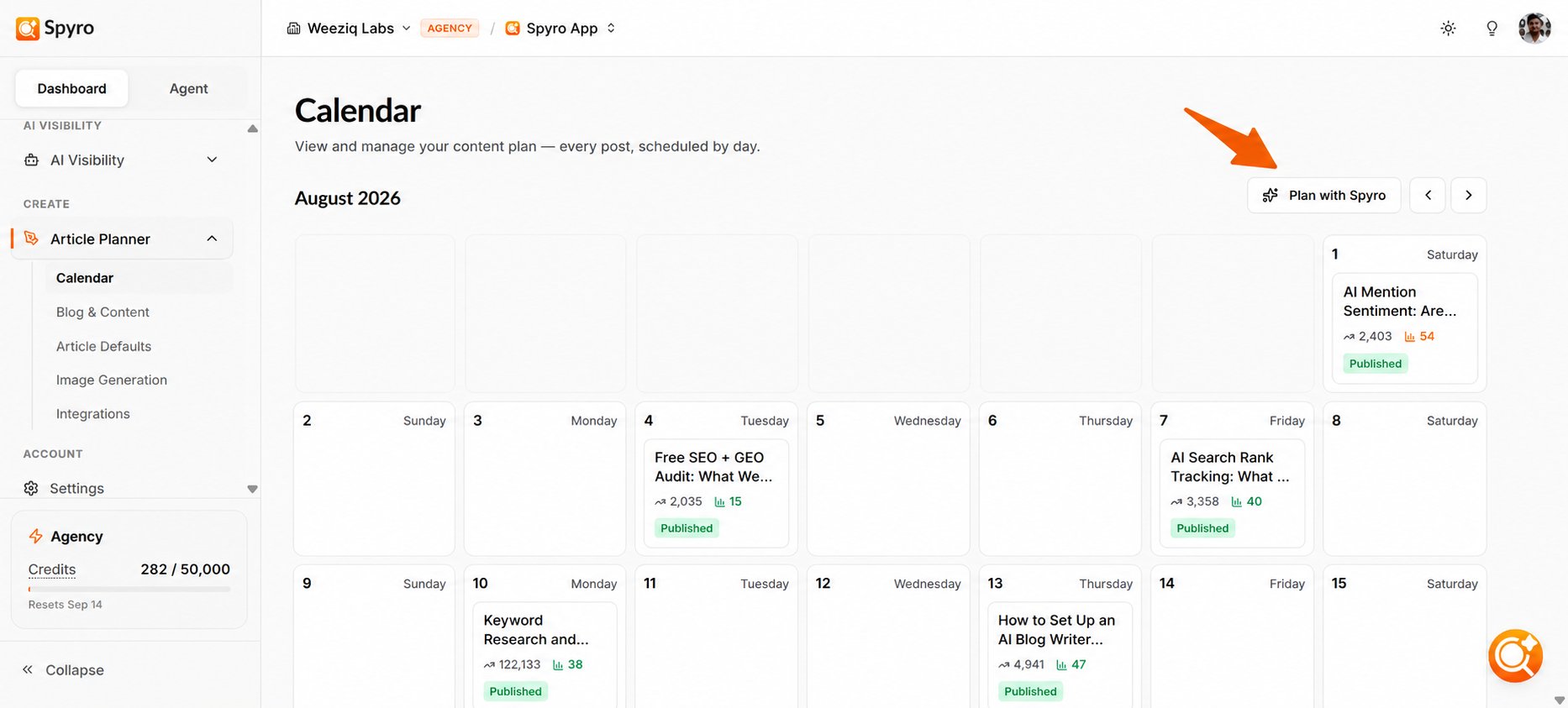
Choose Article Planner → Calendar in the sidebar, under Create. After setup, Spyro AI usually builds a starter plan for you; a Content plan progress note shows while it’s being researched.
2
Ask Spyro AI for more topics
Choose Plan with Spyro to open the planning panel. Ask in your own words, or pick a quick request such as Fill my calendar or What to write next. Spyro AI researches topics and suggests ideas. Each answer costs 10 credits.
3
Add ideas to your calendar
Suggested topics appear as candidates you can sort by Easiest, Highest volume or Newest. Topics marked Easy win are the easiest to rank for. Choose Add to calendar and pick a date.
4
Schedule or reschedule
To move an idea, drag it to another day, or use Reschedule date. To drop it, choose Remove from calendar.
5
Shape the article
Open an idea to edit its title, primary keyword, article brief and length (Short, Standard or Deep guide). You can also add custom instructions, things it must include or avoid, websites to link to, and a call to action. Choose Save changes.
6
Write it
Choose Generate Article to write it now, or leave it on the calendar and Spyro AI writes it on its scheduled day (see below). Each article costs 250 credits.
Automatic writing and publishing
Every day at 06:00 (your workspace’s time zone), Spyro AI writes the articles scheduled for that day. If you’ve connected your website and Auto-publish is on in Article defaults, each finished article is then published for you.Ideas whose date has already passed aren’t written automatically. Drag them to today or a future date to schedule them again.
What to expect
The calendar shows one month at a time; use the arrows to move between months. While an article is being written, its card shows its progress (for example Adding images…) and updates by itself. Finished articles show as Completed and open in the AI writer. If writing fails, choose Retry. Each article costs 250 credits, and your plan sets a monthly article limit: 8 on Starter, 30 on Pro and 120 on Agency. See Plans & billing.Tips
- Let Spyro AI seed the first batch of ideas, then use Plan with Spyro whenever you want to fill out the month.
- Keep a steady rhythm: a few well-spaced posts each week usually beats a big batch all at once.
- Set your article style and images first in Content settings, so every article matches your brand.
Related
AI writer
Edit and publish your articles.
AI agent
Chat with the agent to research new ideas.
Content settings
Set the style, images and auto-publish for your articles.
Plans & billing
Understand article limits and credit costs.